
Top Missed Call Reminder Apps to Keep You Always Connected
Find a Missed Call Reminder App That Fits Your Phone
For Android, start with Missed Call & Text Reminders if you want repeat alerts for calls and texts. Try Missed Notifications Reminder if you want to choose which apps trigger repeat sounds. On iPhone, you can use the built-in missed-call notification and set a callback reminder, but the Android apps in this roundup are not iOS options.
For someone caring for a parent who lives alone, repeat alerts can make an overlooked call harder to miss. But an alert on your parent’s phone is not the same as an alert to family. If you need to know when a check-in goes unanswered, look for a service that contacts you directly.
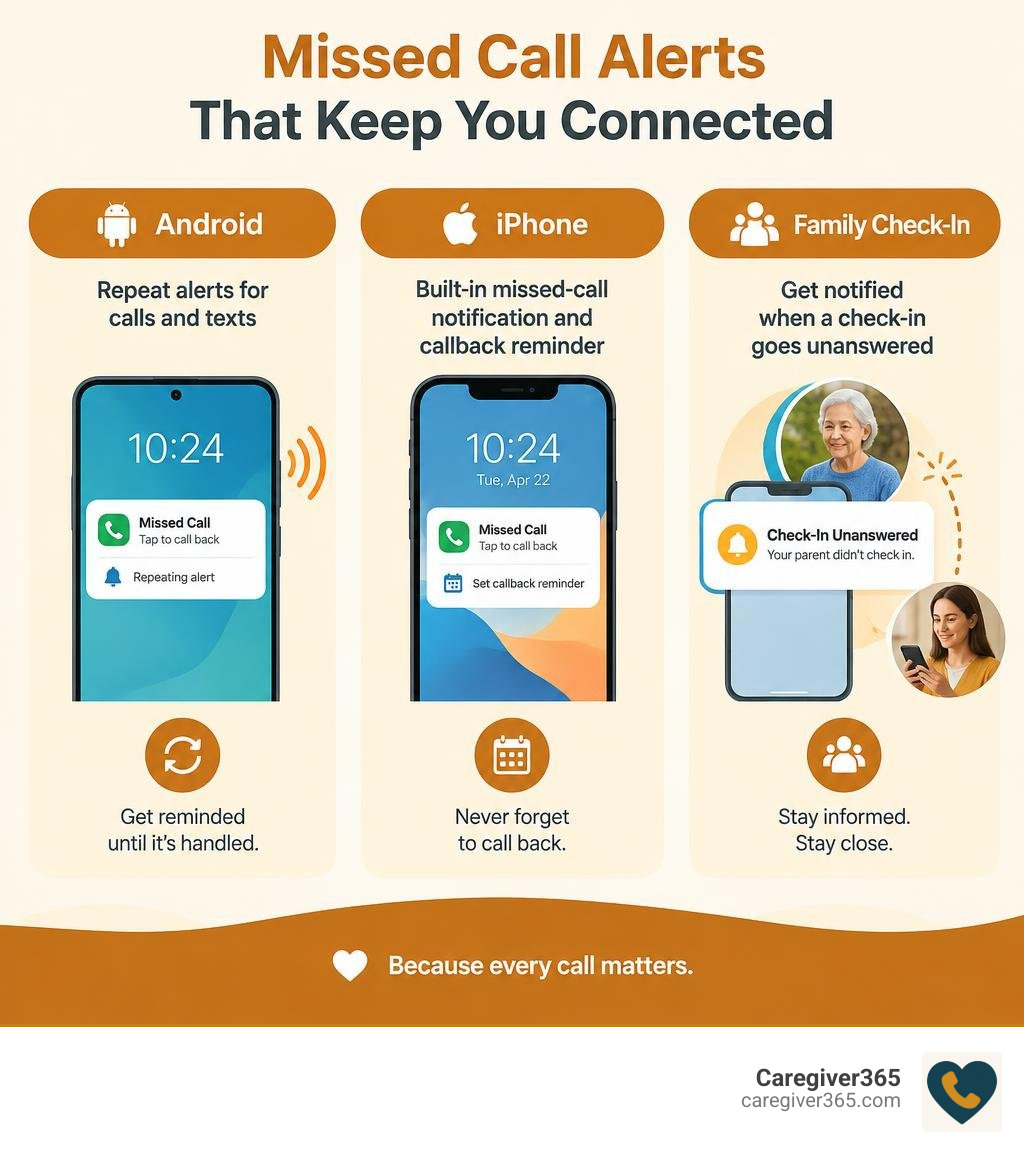
Missed call reminder app basics:
How Missed Call Reminder Applications Work and Core Features
Most smartphones ring once and then remain completely quiet. If you are in another room, washing dishes, or away from your desk, that single ring fades away, leaving behind nothing more than a silent line of text on your screen.
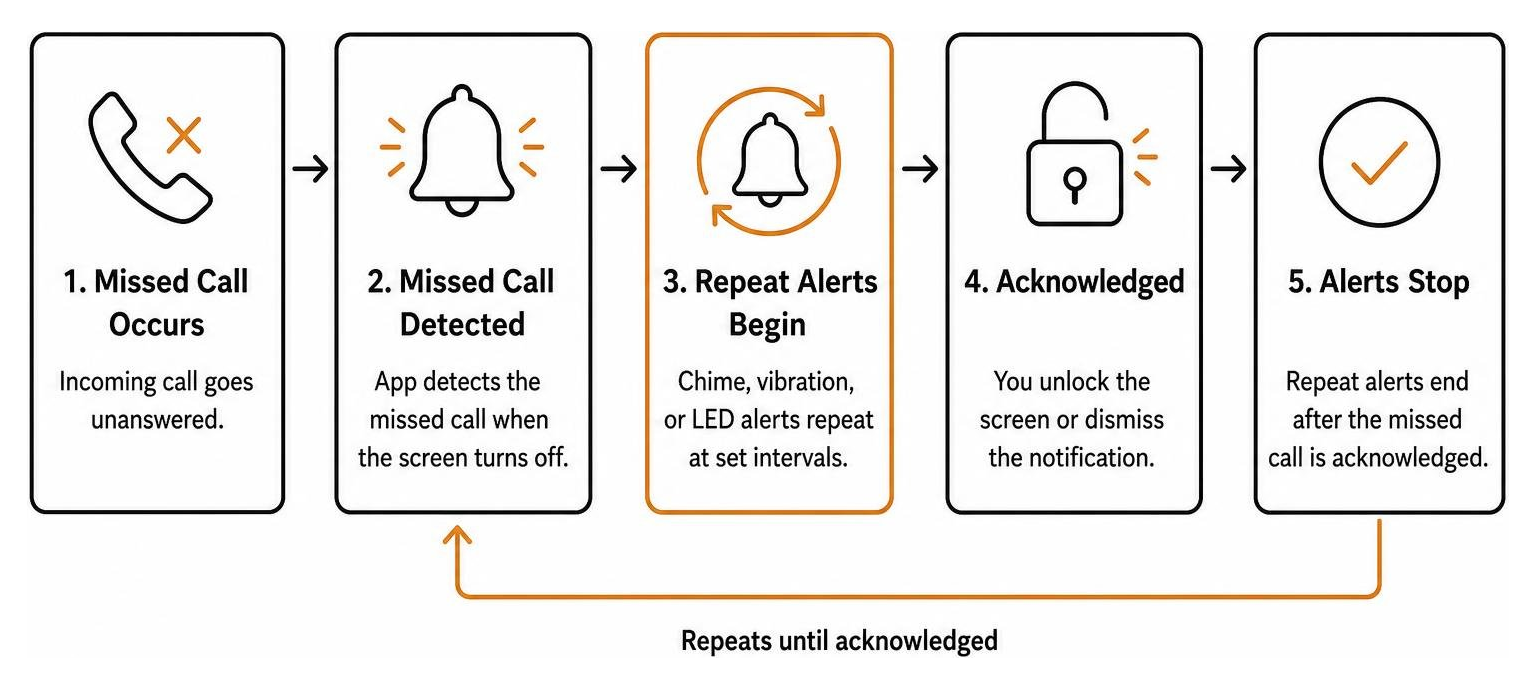
A dedicated missed call alert utility changes this behavior entirely. By using an operating system’s notification listener framework, the application actively monitors your incoming call log. When a call goes unanswered and the screen turns off, the app initiates a repeating cycle of audio chimes, vibration pulses, or camera LED flashes.
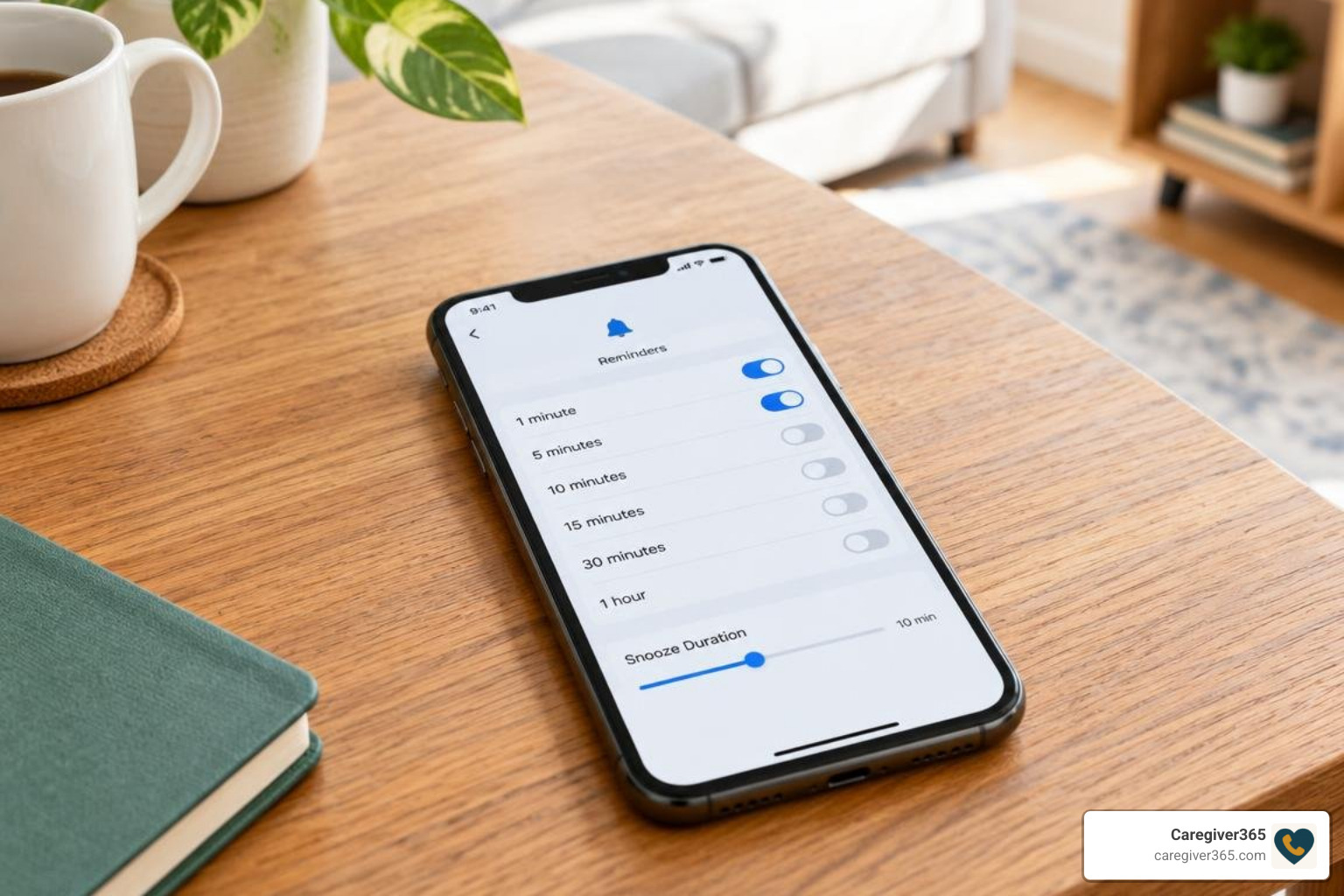
Setting up these tools is straightforward. You can set up instant missed call reminders in under two minutes by selecting your alert sound and deciding how often your device should ping you.
Beyond basic alerts, modern reminder utilities include specific controls to keep alerts helpful rather than intrusive:
- Periodic Audio & Vibration Intervals: Choose reminder loops ranging from 1 to 120 minutes.
- Lock Screen Privacy: Hide caller names and sensitive message text behind your device lock while keeping reminder sounds active.
- Camera LED Strobe Alerts: Provide visual cues for noisy environments or for users with hearing impairments.
- Sensor-Based Pauses: Temporarily silence audio alerts when your phone is laid face-down on a desk.
Key Features That Distinguish Call Alerts from General Reminders
General task managers and calendar tools require you to manually create an entry before they can remind you of anything. In contrast, specialized call reminder applications react automatically to unread events.
These tools stand apart through several practical capabilities:
- Persistent Repeat Chimes: Rather than playing one alert and giving up, the chime repeats at set intervals until you unlock your screen or dismiss the notification.
- Whitelist & VIP Filtering: You can restrict loud repeating alarms exclusively to critical contacts, such as family members, healthcare providers, or key business clients.
- Automated SMS Responses: Send an instant text message to callers when you cannot pick up, acknowledging their call right away.
- Battery Management Exceptions: Dedicated foreground services keep the app running reliably even when the device enters deep sleep mode.
Why Use a Missed Call Reminder App Instead of Standard Alarms?
Standard phone alarms are built for planned schedules, not unexpected communications. If a client reaches out with an urgent question or an elderly parent attempts a daily morning check-in, standard alarms cannot detect the missed connection.
Relying solely on native notification banners often leads to missed opportunities. In business environments, quick response times are critical; you can never lose a lead with automated missed call SMS alerts that keep communication active. In caregiving contexts, a missed notification can cause unnecessary worry and delay timely assistance.
Top Solutions and Standout Features Compared
Choosing the right tool depends on whether you need simple repeating sound alerts, cross-app notification monitoring, or specialized call-forwarding backups.
| Application | Primary Alert Method | Interval Flexibility | Standout Feature | Platform & Rating |
|---|---|---|---|---|
| Missed Call & Text Reminders | Recurring audio, vibration, LED | 1 to 120 minutes | Lock screen privacy controls | Android (4.0 ★ from 1.02K reviews) |
| Missed Notifications Reminder | Periodic sound & vibration | Fully customizable | Open-source; monitors any chosen app | Android (100K+ downloads) |
| Missed Call Alert Plus | Start-delay chimes, camera LED | Adjustable delay | Face-down pause & VIP SMS filters | Android (2.8 ★) |
| Missed Call+ (Alarm) | Full alarm dialog & quick reply | Snooze intervals | Whitelist/blacklist & 1-tap SMS | Android (8.5/10 on APKFab) |
| Missed Calls (by Suxsem) | Call forwarding & push alert | Instant carrier trigger | Alerts when line is busy or off | Android (3.3 ★, $0.99/year) |
Standout Tools for Persistent Notifications and Alarms
For direct notification monitoring on Android, two tools lead the category:
- Missed Call & Text Reminders on Google Play: This app delivers a clean balance of privacy and reliability. It allows users to set persistent lock screen alerts every few minutes while keeping caller identities concealed behind biometric locks.
- Missed Notifications Reminder on Google Play: An excellent choice for users who want broader coverage. Its open-source architecture monitors not just native cellular calls, but also third-party messaging and communication applications.
Call-Forwarding and Specialized Alert Options
When standard notification listeners do not fit your workflow, specialized alert systems offer practical alternatives:
- Missed Call Alert Plus on Google Play: Includes hardware-level sensory options, such as flashing the camera LED and pausing alerts when the phone is flipped face-down.
- Missed Call+ Alarm via APKFab: Converts missed calls into full-screen interactive alarm dialogs with built-in one-tap callback and SMS reply buttons.
- Missed calls by Suxsem: Takes a different route by using carrier call-forwarding rules. It routes unanswered calls to an automated system that disconnects the line and delivers a secure push notification—ensuring you are alerted even when your phone has no active cellular signal or is switched off.
The Role of Reminder Systems in Health and Daily Safety
Clear, consistent reminders play an essential role in daily health management and routine safety. Missing an alert is rarely just an inconvenience; for individuals managing chronic conditions, missed prompts can interrupt vital daily regimens.
Clinical research underscores the profound impact structured reminders have on health outcomes. In a comprehensive Cochrane systematic review examining medication adherence across 12 randomized trials with 2,196 participants, reminder systems increased adherence by an average of 11% (Mahtani et al., 2011). This consistent routine support delivered measurable clinical improvements, including a significant reduction in diastolic blood pressure (mean difference of -5.89 mmHg) and a notable decrease in glycated haemoglobin levels (mean difference of -0.72%).
Establishing reliable contact habits is equally vital for independent older adults. Exploring how caregiver apps keep families in the loop shows how simple technological touchpoints provide reassurance without disrupting daily independence.
Customizing Your Missed Call Reminder App for Daily Routines
To ensure your alert system remains helpful without causing notification fatigue, tailor its settings to your personal schedule:
- Configure Quiet Hours: Set automatic blackout windows during nighttime hours so sleep remains uninterrupted.
- Adjust Snooze Durations: Balance chime intervals—shorter 5-minute cycles for work hours, and longer 30-minute intervals for leisure time.
- Assign Distinct Vibration Patterns: Set distinct haptic rhythms for phone calls versus general messages so you can identify the alert type without checking your screen.
Privacy, Security, and Background Battery Considerations
Because notification reminder tools interact with incoming call logs, evaluating data privacy is essential. Look for applications that process data entirely on your local device. Several open-source and privacy-focused utilities protect user records by using local cryptographic hashing (such as SHA-224 algorithms) rather than transmitting phone numbers to remote cloud servers.
To keep these utilities running smoothly, ensure your phone’s battery settings do not quietly disable them:
- Exempt the application from your operating system’s aggressive battery optimization.
- Enable persistent foreground service notifications so the app stays active while your screen is off.
- Enable auto-start permissions on devices with custom Android skins (such as Xiaomi or Huawei).
How to Choose the Right Missed Call Reminder App for Your Needs
Selecting the ideal alert solution comes down to your personal workflow and technical comfort:
- Target Operating System: Confirm whether your device supports background notification listeners (Android) or requires native scheduled reminders (iOS).
- Alert Persistence: Decide whether you need a gentle repeating sound or an urgent, full-screen alarm dialog.
- Privacy Protections: Choose apps that keep call records stored locally on your device rather than uploading them to external servers.
- App Monitoring Scope: Determine if you only need cellular call monitoring or alerts across third-party communication apps.
- Caregiver & Family Visibility: Consider whether an alert on a single phone is sufficient, or if your family needs an automated system that alerts designated contacts when a daily call is missed.
For families supporting aging parents living independently, comparing the best automated daily check-in systems that connect seniors and families provides a broader safety net than standalone on-device chimes alone.
Frequently Asked Questions about Missed Call Reminder Apps
Can a missed call reminder app work on both Android and iOS?
Dedicated apps that listen for incoming calls and trigger recurring audio alerts operate primarily on Android due to its flexible background listener permissions. iOS restricts third-party apps from monitoring raw system call events. On an iPhone, users can use built-in Siri reminders, customize banner persistence, or use cross-platform messaging tools.
Why do some reminder apps stop alerting after the screen locks?
Modern smartphone operating systems use aggressive battery-saving features that close background processes when the screen turns off. To ensure continuous alerts, exclude the app from battery optimization in your phone’s settings and turn on auto-start and foreground service permissions.
Do call alert apps store personal contacts on cloud servers?
Most dedicated notification reminder utilities process call logs locally on your hardware. Standalone privacy-conscious apps do not maintain external cloud databases of your address book. Always review an application’s data safety declarations on Google Play to verify that contact data is not shared with third parties.
Conclusion
Missing an important call can disrupt your workday, delay urgent business responses, or cause unnecessary worry for family members. Whether you choose an open-source notification utility, an alarm dialog, or a specialized carrier alert tool, adding a dependable reminder system ensures you stay connected when it matters most.
When caring for loved ones who live independently, on-device chimes are only half the equation. Our Caregiver365 daily check-in service brings complete peace of mind by calling your loved one at scheduled times every day. If a call goes unanswered, we immediately notify your designated Care Circle across any landline or mobile phone—no extra apps or hardware required.
Learn how daily check-in calls work to discover how simple, automated reassurance keeps your entire family connected and secure.