
Types of Call Button for Elderly at Home Systems
Navigating the hardware market can feel overwhelming, but home call systems primarily divide into two functional technologies: local radio frequency (RF) units and smart Wi-Fi systems. Both options operate with zero monthly fees, providing straightforward panic alerts without locking families into expensive long-term monitoring contracts.
| Feature / Metric | Local RF Pager Systems | Smart Wi-Fi Buttons |
|---|---|---|
| Transmission Type | 433.92 MHz Radio Frequency | 2.4 GHz Wi-Fi Network |
| Alert Destination | In-home plug-in or pocket pager | Smartphone app notifications |
| Operational Range | 100–1,000 feet (line of sight) | Unlimited (anywhere with internet) |
| Internet Dependency | None (works during outages) | Requires active home broadband |
| Caregiver Proximity | Caregiver must be on the property | Caregiver can be across town or traveling |
| Power Source | Replaceable coin cells (6–12 months) | Rechargeable battery (1–2 months) |
| Monthly Subscription | $0 (No contracts) | $0 (No contracts) |
Standalone RF Radio Frequency Pagers
Standalone RF models communicate using license-free radio bands (typically 433.92 MHz). Because they create a direct link between the wearable transmitter and the receiver, they do not rely on cellular towers, home routers, or external software.
- Zero-Setup Hardware: Plug the audible chime unit into a central wall outlet, hand the senior the pendant, and the system is ready to function.
- Direct In-Home Reach: Basic units cover 250 feet, while high-gain models reach up to 1,000 feet in open air.
- Cost-Effective Protection: Reliable RF kits—like simple pendant and receiver sets—often start at under $25, making them an accessible safety choice.
- Multi-Receiver Expansion: Many modern systems allow pairing multiple chime receivers. This ensures a caregiver in the basement or detached garage hears the alert immediately.
For families caring for a relative under the same roof, direct RF devices offer dependable, low-latency performance without technical complexity.
Smart Wi-Fi and App-Connected Systems
Smart buttons route emergency signals through a home’s 2.4 GHz Wi-Fi network to deliver real-time notifications directly to mobile devices.
- Remote Push Notifications: If a senior presses their pendant at home, family members receive an alert on their smartphones regardless of distance.
- Multi-Caregiver Alert Circles: Through connected smartphone apps, alerts can notify multiple family members or neighbors simultaneously, ensuring backup coverage if one person is unavailable.
- Status Tracking: Modern smart buttons, such as the Retekess TH012 WiFi Smart Emergency Call Button System, provide app-based battery telemetry and signal activity logs, sending automatic reminders when battery capacity falls below 20%.
- Rechargeable Power: Many app-enabled emergency buttons feature built-in lithium-ion batteries that recharge via USB, eliminating the need to source specific coin-cell replacements.
Families balancing independent living arrangements often prefer Wi-Fi hardware because it allows remote monitoring without recurring service contracts.
Range and Signal Reliability: Multi-Story vs Single-Level Homes
A manufacturer’s stated range reflects open-air line-of-sight performance. Inside a home, everyday construction materials significantly reduce wireless signal strength.
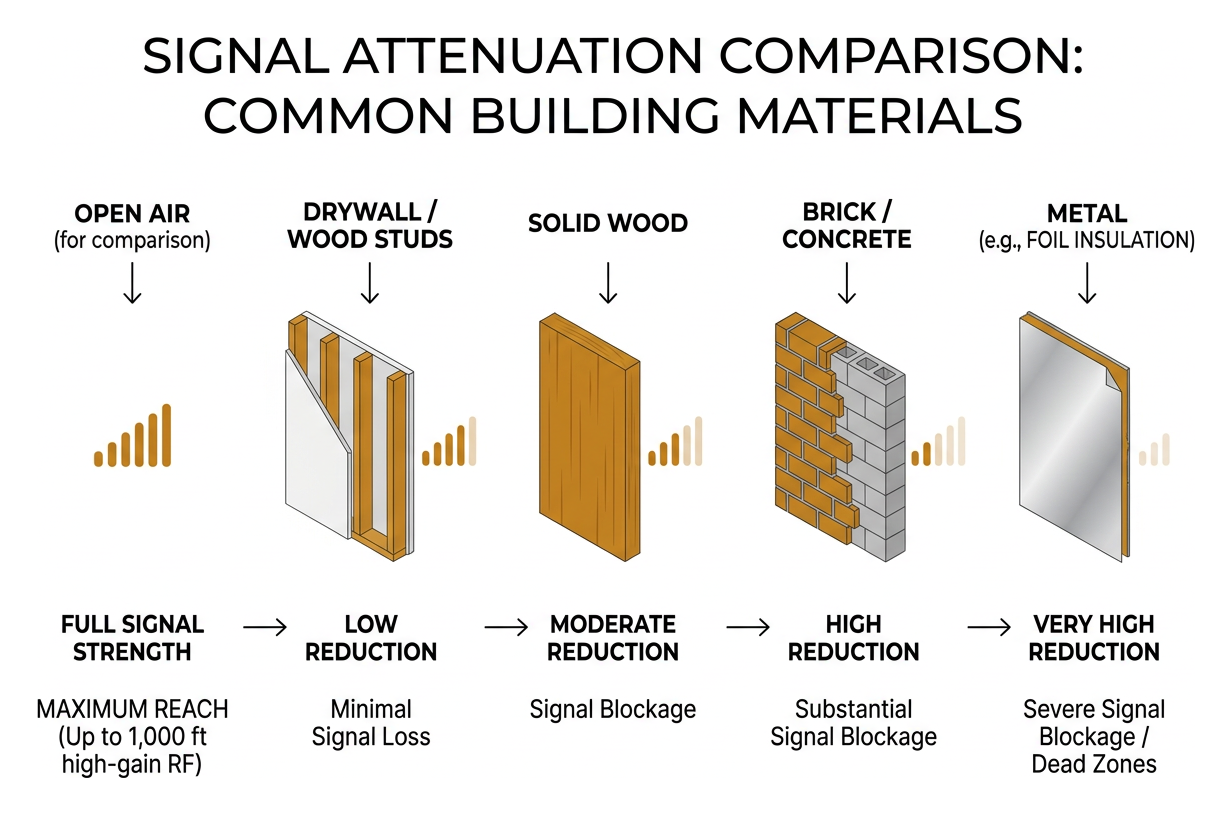
Understanding structural signal loss helps you position receivers to prevent communication dead zones. You can review our comprehensive senior safety resources for additional home setup recommendations.
Overcoming Transmission Obstacles Indoors
Radio signals weaken as they pass through dense physical barriers:
- Drywall and Timber: Moderate attenuation; usually allows reliable signal passage across adjacent rooms.
- Brick, Stone, and Masonry: Causes significant signal degradation, cutting practical range by 40% to 60%.
- Metal Framing and Appliances: Large metal elements (like refrigerators, metal studs, and HVAC ducts) deflect RF waves, creating localized dead spots.
- Wi-Fi Router Congestion: Placing wireless RF base units next to heavy streaming devices can create signal interference.
To optimize transmission, place receivers in central hallways, elevated at least 3 to 5 feet off the floor, away from large metal appliances.
Selecting the Right Call Button Based on Layout
- Single-Story Apartments and Condominiums: Compact spaces typically work well with standard 250-foot RF systems, providing consistent coverage from bedroom to bathroom.
- Multi-Story Townhomes: Two- and three-story properties benefit from expandable kits featuring multiple plug-in receivers placed on each living level.
- Properties with Yards or Detached Garages: For monitoring across outdoor areas, choose long-range systems offering 1,000-foot ratings, such as the CallToU 1000ft IP67 Waterproof Wireless Caregiver Pager, to ensure alerts carry outside.
Before finalizing installation, walk your property and test the button from every room to ensure reliable receiver pickup. If you are comparing specific hardware designs, our practical hardware buying guide provides further breakdowns by home size.
Critical Hardware Features for Maximum Senior Safety
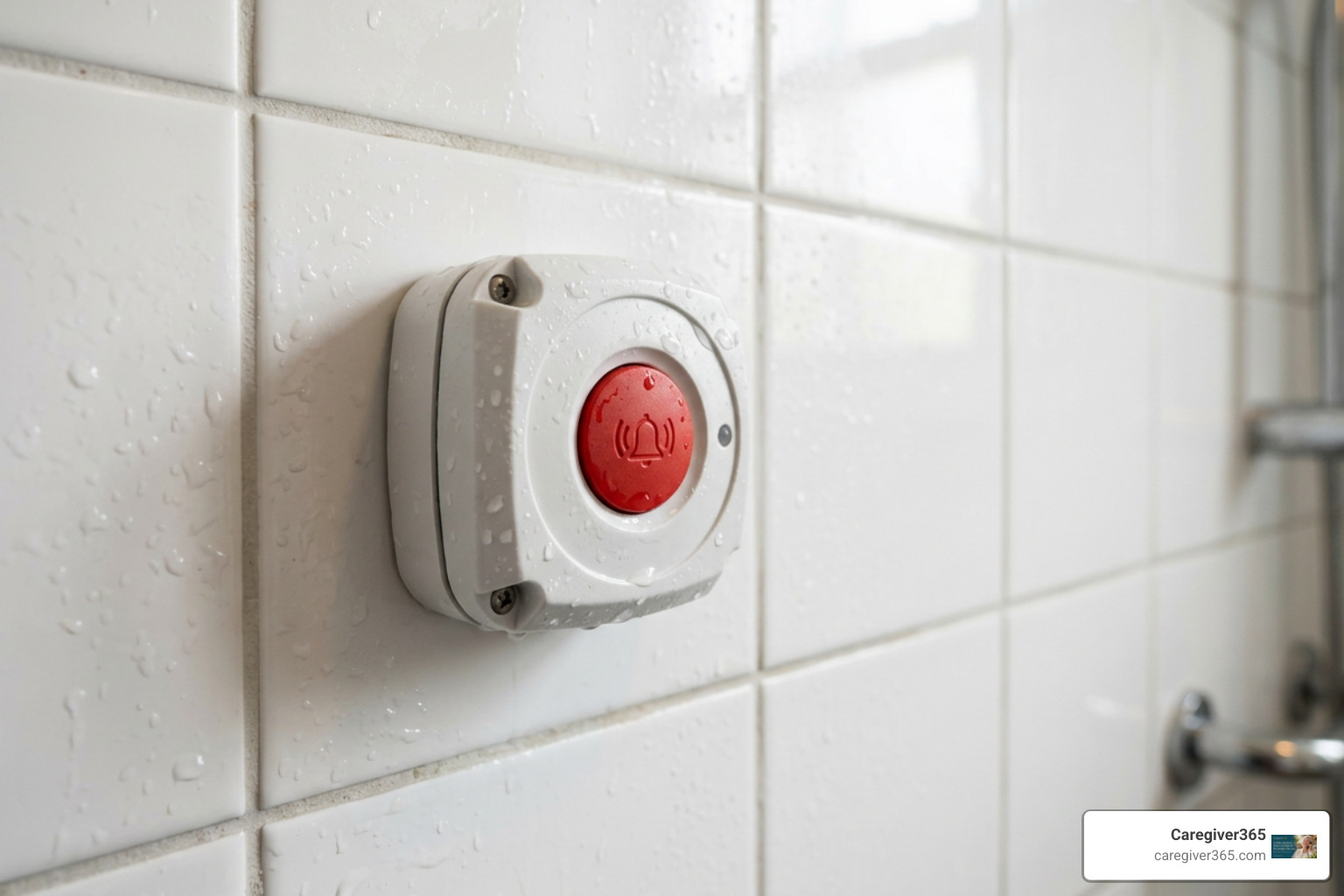
Selecting an alert button involves evaluating critical safety specifications:
- Waterproof Protection (IP Ratings): A substantial portion of senior falls occur in bathrooms during transfers in and out of tubs or showers. A call button must survive continuous moisture exposure:
- IP55 Rating: Splash-proof; resists light water sprays and steam. Suitable for vanity or bedside placement.
- IP67 Rating: Fully dust-tight and submersible up to 1 meter for 30 minutes. Recommended for wear inside showers and walk-in tubs.
- Battery Longevity: RF buttons powered by CR2032 lithium coin cells usually operate for 6 to 12 months. Rechargeable Wi-Fi models typically need a recharge every 30 to 60 days.
- Alert Options (Audio and Vibration): Look for receivers that offer both chime adjustments and vibration alerts. Wearable receiver watches that vibrate help hard-of-hearing caregivers catch alerts during noisy household tasks or overnight.
To evaluate technical details between various styles, review our detailed hardware comparison.
Optimal Placement for Call Buttons
Fixed wall buttons provide an essential backup if a senior removes their wearable pendant before bed or bathing.
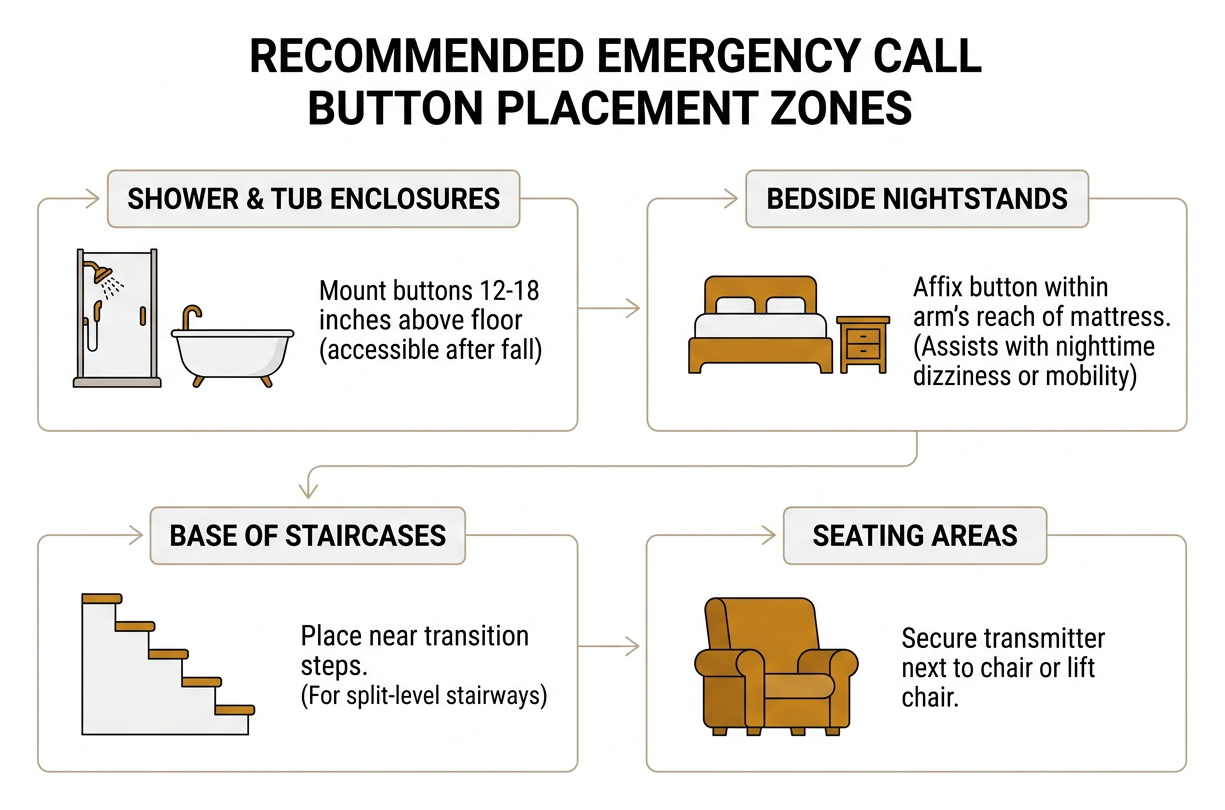
- Shower and Tub Enclosures: Mount buttons 12 to 18 inches above the bathroom floor so an individual can reach them after a fall.
- Bedside Nightstands: Affix a button within arm’s reach of the mattress to assist with nighttime dizziness or mobility difficulties.
- Base of Staircases: Place units near the transition steps of split-level stairways.
- Seating Areas: Secure a transmitter next to primary living room armchairs or lift chairs.
Wearable Ergonomics and Accessibility for Dementia Care
- Breakaway Safety Lanyards: Neck lanyards should feature quick-release magnetic or plastic snaps to prevent accidental strangulation hazards.
- Tactile and Recessed Surfaces: Raised, colored center buttons assist individuals with low vision or arthritis, while recessed collars prevent false alarms caused by minor bumps.
- Wristband Form Factors: For individuals living with cognitive changes or dementia who may discard loose pendants, secure wristband buttons help maintain continuous access.
Expanding Home Protection Beyond Physical Buttons
While a wearable transmitter is an effective immediate alert tool, comprehensive home care blends reactive emergency hardware with proactive monitoring.
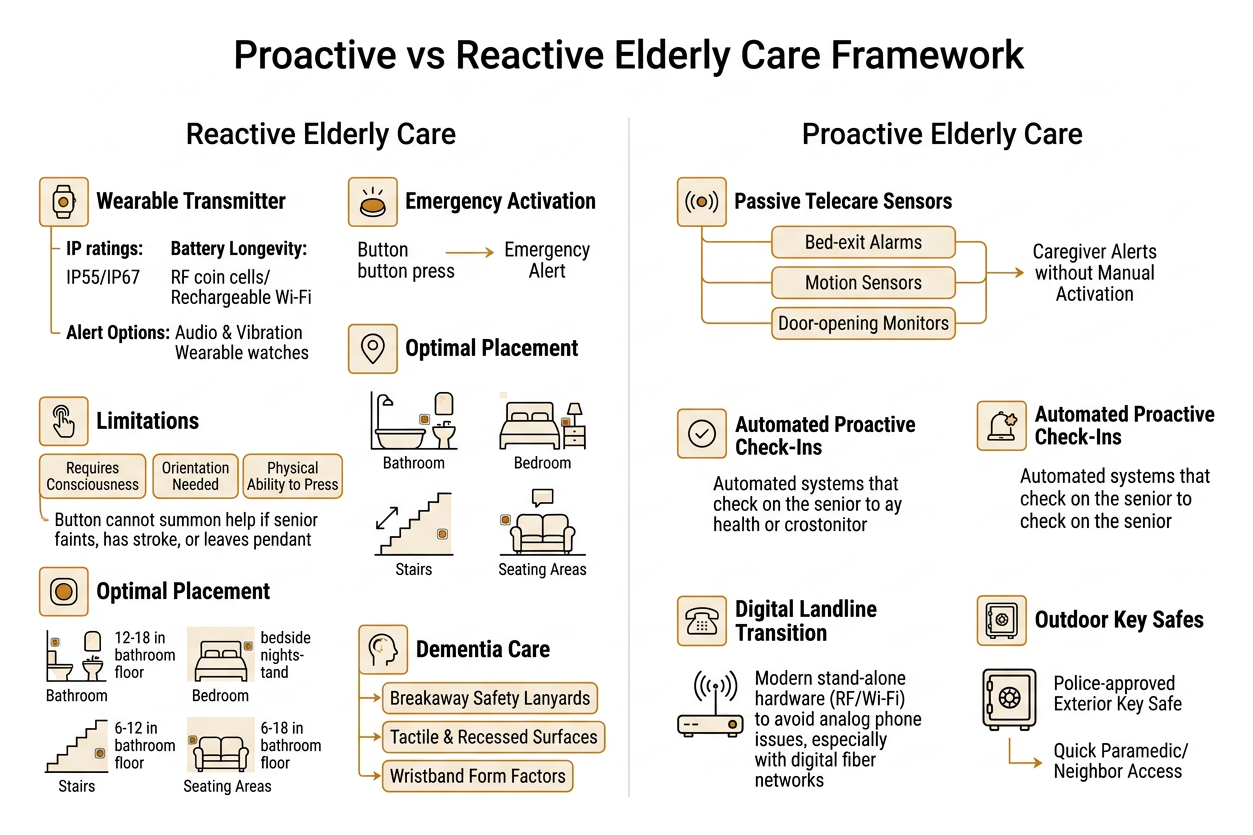
- Passive Telecare Sensors: Pairing physical buttons with bed-exit alarms, motion sensors, and door-opening monitors alerts caregivers to sudden wandering without requiring manual button activation.
- Outdoor Key Safes: Installing a secure, police-approved exterior key safe ensures paramedics or neighbors can access the home quickly during an emergency without forcing entry.
- Digital Landline Transitions: As telecommunications switch to digital fiber-based networks, older analog phone units may experience reliability issues. Modern stand-alone RF hardware and Wi-Fi units avoid these landline issues entirely.
- Automated Proactive Check-Ins: The major limitation of any call button is that it requires an individual to remain conscious, oriented, and physically able to press it. If a senior faints, experiences a stroke, or leaves their pendant on a dresser, a button cannot summon help.
Integrating daily automated well-being calls provides a safety net by confirming an individual’s health every single day. If you are weighing different personal safety strategies, read our guide comparing check-in calls vs a medical alert button to see how both approaches work together.
Frequently Asked Questions About Senior Call Buttons
Do wireless call buttons work without Wi-Fi or monthly fees?
Yes. Standard Radio Frequency (RF) caregiver pagers operate independently on low-power radio frequencies (such as 433 MHz). These systems connect the wearable button directly to a plug-in wall chime or portable pocket pager. They require no internet connection, no SIM cards, and zero recurring subscription fees.
How far does a standard home care alert button transmit?
Line-of-sight range typically spans between 250 and 1,000 feet depending on the model. Indoors, dense barriers such as concrete walls, brick fireplaces, and metal appliances will reduce this range. In typical homes, you can expect reliable coverage across 100 to 300 feet of indoor living space.
What happens if the senior is unable or forgets to press the button?
Physical panic buttons are purely reactive tools. If a senior is incapacitated, experiences sudden memory disorientation, or simply leaves the device off, the button cannot signal for assistance.
To close this safety gap, automated check-in services like Caregiver365 provide proactive monitoring. Understanding how daily check-in calls work shows how scheduled, automated telephone check-ins verify safety every day—alerting a family Care Circle immediately if a call goes unanswered, with no hardware to recharge or remember to wear.
Conclusion
A home care call button offers an affordable, reliable way for seniors to request immediate assistance, whether using a direct RF pager for in-home support or a smart Wi-Fi button for remote mobile alerts. By prioritizing appropriate indoor range, straightforward controls, and reliable waterproofing, families can establish dependable safety coverage throughout the home.
Because accidents and health issues can sometimes prevent a senior from reaching a physical button, true peace of mind comes from combining reactive alert devices with proactive daily check-ins. Explore how our automated daily calls support independence and keep families connected by visiting Caregiver365.