
Understanding Missed Call Alerts: Carrier SMS vs. Device Reminders
Activating missed call alerts depends on whether you need a network-level carrier notification or an on-device reminder. You can activate carrier alerts by dialing a USSD code such as *62#, sending an SMS command such as ACT MCI to 54300, or enabling the service in your carrier’s app. For device reminders, open your phone app, go to Settings > Calling accounts > Advanced settings > Missed call reminders, and choose how often the alert repeats. These steps work even when your phone was off, out of coverage, or simply left in another room.
Staying reachable is vital, especially when keeping tabs on family members, coordinating busy workdays, or managing health check-ins. When a call does not connect, two distinct mechanisms handle notifications: network-level carrier alerts and on-device operating system reminders.
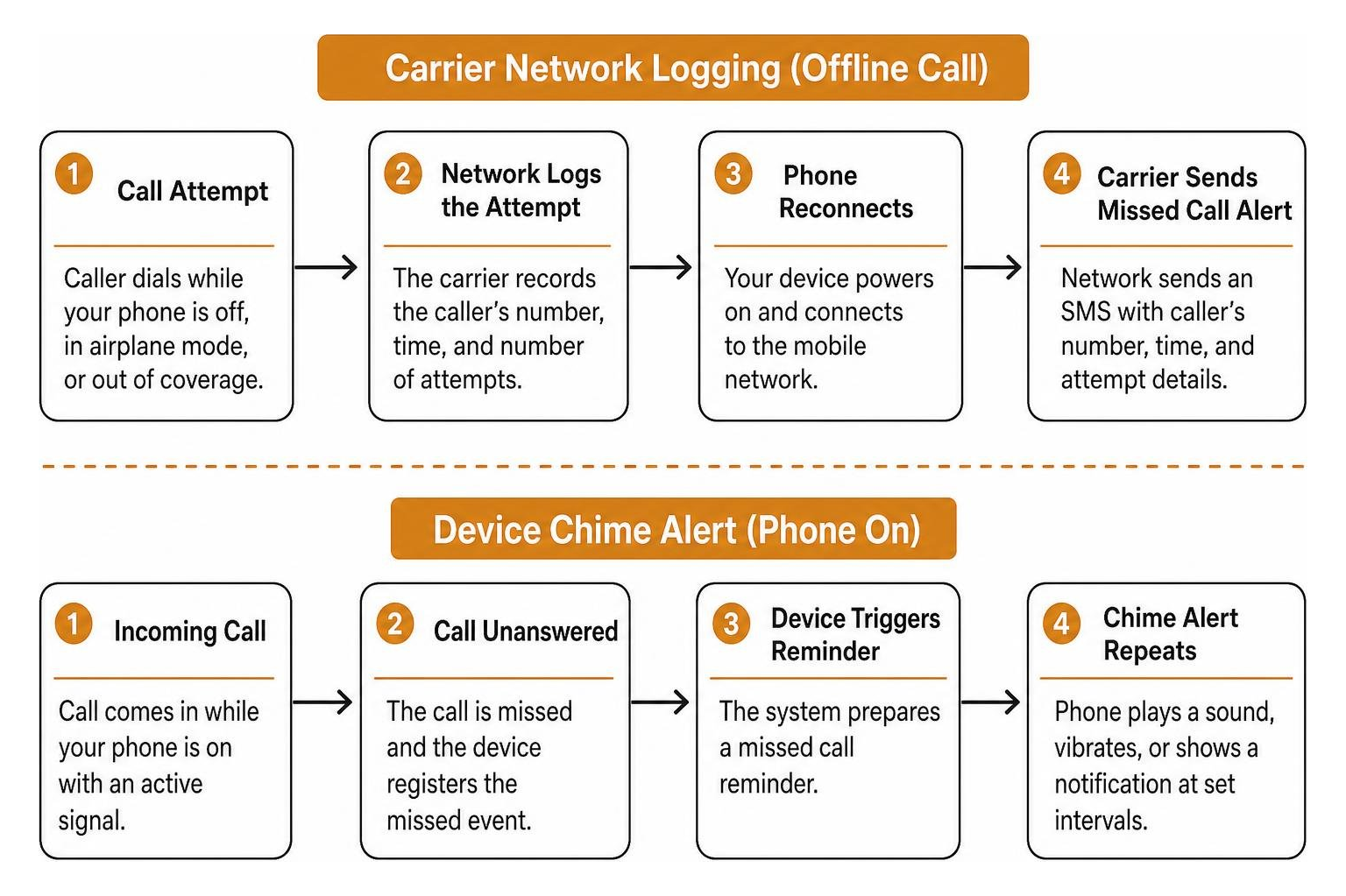
Carrier-level missed call alerts operate entirely on the mobile network’s infrastructure. When your phone is powered down, stuck in airplane mode, or out of cell reception, the cellular network logs incoming connection attempts. Once your device reconnects to a cell tower, the network sends an automated SMS detailing the caller’s number, timestamp, and number of attempts.
Native device reminders, by contrast, function only when your phone is turned on and receives an incoming call that goes unanswered. The phone registers the missed event and replays a sound, vibration, or visual alert at set intervals so the notification is not forgotten on a crowded lock screen.
| Feature | Carrier-Level Missed Call Alert | Device-Level Missed Call Reminder |
|---|---|---|
| Operational State | Works when phone is off, busy, or out of coverage | Requires phone to be powered on with active signal |
| Delivery Method | Network SMS or audio MMS | System push notification, sound, or banner |
| Network Dependency | Carrier core switching network | Local mobile operating system (Android / iOS) |
| Escalation Support | Single text summary upon reconnecting | Repeating alert chime (e.g., every 5 minutes) |
| Configuration | USSD dial codes, SMS shortcodes, or carrier apps | Device Settings app under Calling Accounts |
Understanding this distinction helps you avoid missing critical reach-outs. If you want to configure your smartphone hardware so it periodically chimes after an unanswered ring, you can easily set up instant missed call reminders in under two minutes on supported devices.
How Do I Activate Missed Call Alert Services Across Major Carriers?
When setting up a new line or troubleshooting unreachable numbers, many subscribers ask how do I activate missed call alert settings for their specific network. The process depends on the specific telecom provider and region. Most network operators provide shortcodes, USSD strings, or dedicated account menus to enable these value-added services. The activation method you choose will determine whether you receive a plain SMS summary, a repeating device notification, or an audio MMS message when a call goes unanswered.
How Do I Activate Missed Call Alert via USSD and SMS Codes?
Major mobile carriers utilize direct text commands or short dial strings to activate offline call logging. These methods are usually the fastest way to enable missed call alerts because they work directly from your phone dialer or messaging app without requiring a separate account login.
- Vi (Vodafone Idea): Subscribers can enable the Missed Call Information (MCI) service via SMS. Send an SMS containing ACT MCI to 54300. You will receive an automated confirmation text verifying that offline alerts are active. Review the official Vi consumer missed call alerts guide for regional terms and service details.
- Jazz: Users can activate network call alerts directly through standard USSD string sequences. Dial
*62#from your phone dialer and press call to activate missed call tracking when unreachable or powered off. To deactivate, dial#*62#. You can find detailed network instructions in the Jazz missed call alert activation steps. - Jio and Other Global Carriers: Many 4G and 5G networks enable basic missed call SMS alerts by default through their native VoLTE network architecture, with additional preferences accessible via their respective customer account apps. If you are unsure whether your carrier has already activated the service, check your account settings or contact customer support.
Activating Carrier Voicemail Alternatives and Audio MMS Alerts
Some telecommunications providers deliver missed call messages as rich media instead of standard plain text. For example, Optus provides a Missed Call Service that acts as a lightweight alternative to traditional voicemail by recording a short audio snippet from the caller and delivering it as an audio MMS (around 92 KB, capped at 1 minute).
To manage this style of audio alert:
- Activation: Dial 159 from your handset and follow the voice prompts.
- Deactivation: Text the word OFF to 159.
- Adjusting Ring Duration: You can adjust how long your phone rings before diverting to the service by dialing
**004*0411000160**XX#(replacingXXwith your preferred ring timeout in 5-second intervals, up to 30 seconds).
For comprehensive setup steps and overseas data considerations, consult the Optus missed call service instructions. Receiving audio MMS notifications while traveling internationally requires active data roaming.
Setting Up Missed Call Notifications on Android, iOS, and Cloud Apps
In addition to cellular network alerts, you can configure your smartphone operating system and virtual calling platforms to deliver prompt notifications whenever an unanswered call occurs. These device-level and cloud-based options are especially useful when your carrier does not offer a native missed call alert service, or when you want more granular control over how and when you are notified.
How Do I Activate Missed Call Alert on Android and Xiaomi Devices?
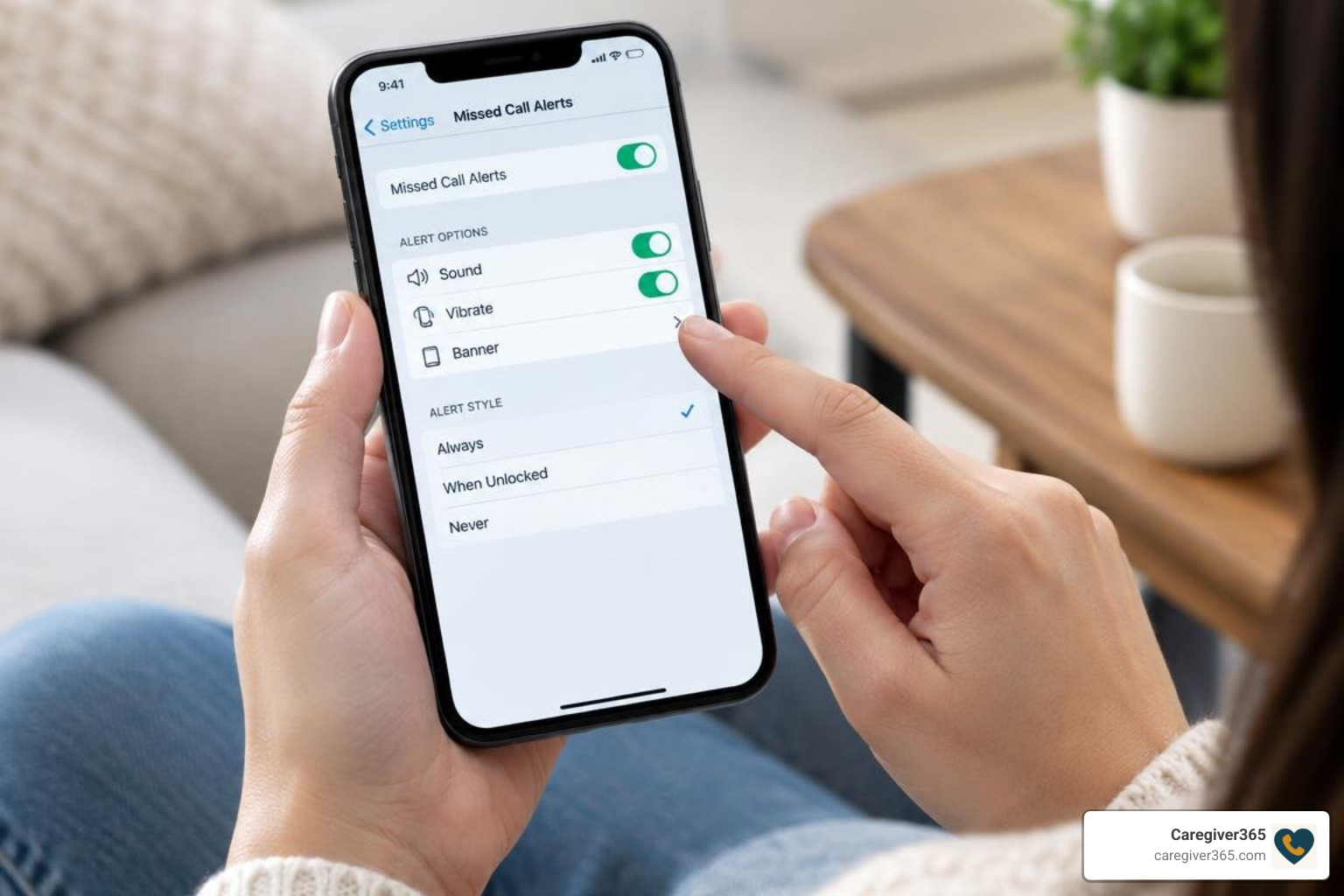
Android handsets running custom manufacturer interfaces (such as Xiaomi’s HyperOS or MIUI) include native settings to repeat missed call alerts so you do not overlook important calls. The exact menu path may vary slightly depending on your device model and Android version, but the general steps are consistent across most modern handsets.
- Open the default Phone app.
- Tap the three-dot menu icon in the upper-right corner and select Settings.
- Select Calling accounts.
- Tap Advanced settings.
- Select Missed call reminders.
- Choose how many times the reminder should repeat (from 1 up to 10 times at 5-minute intervals).
For model-specific menu layouts and troubleshooting missing options on regional carrier builds, refer to the Xiaomi missed call reminders guide and the official documentation on turning on missed call reminders.
Configuring Missed Call Alerts in Google Voice and VoIP Apps
Cloud telephony platforms and VoIP applications offer cross-device notifications across mobile apps and desktop email inboxes. These services are particularly helpful if you manage multiple phone numbers or want a backup notification channel in addition to your carrier’s native alerts.
To configure alerts in Google Voice:
- Open the Google Voice app on your device.
- Tap the top-left menu icon and open Settings.
- Under the Calls heading, select Missed call notifications and toggle it On.
- Adjust sound, vibration, and lock screen visibility preferences.
- Enable Get email alerts for missed calls under call settings to receive instant email notifications containing caller ID data and timestamps.
For complete notification priority rules and overriding Do Not Disturb, review the official Google Voice notification settings guide.
Troubleshooting and Managing Missed Call Alert Services
If your missed call alerts stop delivering, several common issues may be interfering. Working through these troubleshooting steps in order can help you identify whether the problem is on your device, your carrier account, or a third-party app.
- Do Not Disturb (DND) Restrictions: Check that your handset’s DND mode does not silence call notifications completely. Configure exceptions for priority contacts so that important missed call alerts still come through even when other notifications are muted.
- Email Spam Filters: If using cloud telephony or email forwarding, whitelist the provider’s domain to ensure alert summaries bypass junk folders. Missed call email notifications often end up in spam because they are sent from automated addresses.
- Call Forwarding Conflicts: Active unconditional call divert rules (such as
*21*) route calls to another destination before the network can register a missed attempt on your primary line. Disable any unnecessary forwarding rules and test again. - Carrier Feature Deactivation: If you change SIM cards, switch mobile operators, or migrate from prepaid to postpaid billing, re-verify your subscription using the carrier’s activation shortcode. Some carriers automatically remove value-added services when your plan changes.
- Network Coverage Gaps: If you frequently travel through areas with poor reception, your carrier may not be able to deliver the SMS alert immediately. The alert should arrive once you reconnect to a stable network, but repeated coverage gaps can delay delivery.
While carrier alerts keep individual phone users informed about missed contacts, family caregiving often requires a more proactive approach. Understanding how automated call check-ins operate ensures that when a vulnerable loved one does not answer the phone, the missed connection is immediately detected and escalated across a shared support network.
Frequently Asked Questions About Missed Call Alerts
Can I receive missed call alerts when my phone is switched off?
Yes, provided you have activated carrier-level missed call alerts. The carrier network logs the incoming attempt while your device is disconnected and dispatches an SMS notification once your phone powers on and re-establishes a cellular connection. This works because the alert is generated by the network infrastructure rather than your phone’s operating system, so it does not require your device to be active at the time of the missed call.
Are there extra charges for activating missed call alert services?
Pricing varies by carrier and subscription tier. While many modern postpaid plans include missed call text alerts at no extra charge, certain prepaid networks or international roaming services may apply recurring monthly fees or standard messaging charges. Check your carrier’s value-added service terms or contact customer support to confirm whether your plan includes missed call alerts without additional cost.
How do I deactivate or unsubscribe from missed call alerts?
You can deactivate carrier services by sending an opt-out keyword (such as “STOP” or “OFF”) to your carrier’s service shortcode, dialing network cancellation codes (such as ##002# or *#62#), or managing add-ons within your network’s official customer mobile app. For device-level reminders, simply return to the missed call reminder settings in your phone app and turn the feature off.
Conclusion
Setting up missed call alerts ensures you stay informed about unreachable callers, whether your phone was out of signal range, turned off, or ringing while you were away from the room. By combining carrier-level SMS alerts with repeating device reminders, you can maintain reliable visibility over incoming communications across any mobile network. The activation process is straightforward: dial a USSD code, send an SMS shortcode, or toggle a setting in your phone app, and you will have a dependable safety net for every missed connection.
For families managing the safety of an aging parent or relative, automated check-ins provide an added layer of security. We invite you to explore how daily check-in calls work with Caregiver365 to keep your entire family circle connected and informed every day.